

















































































AR-DV1 TAI - Tablet App Interface for iOS and Android
Small size communication device with WIFI enabled Web API
- This product is a WEB API operated single board computer device set-up to operate the AR-DV1 receiver in VFO mode.
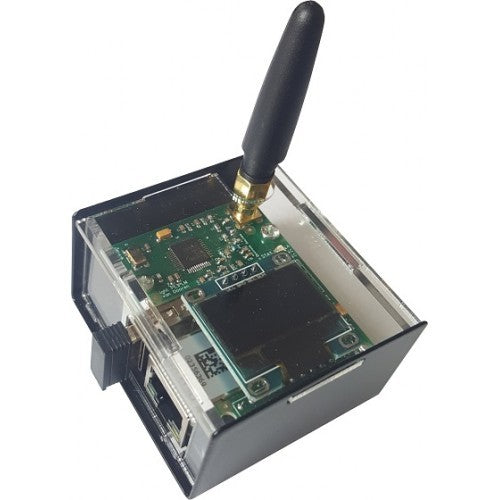
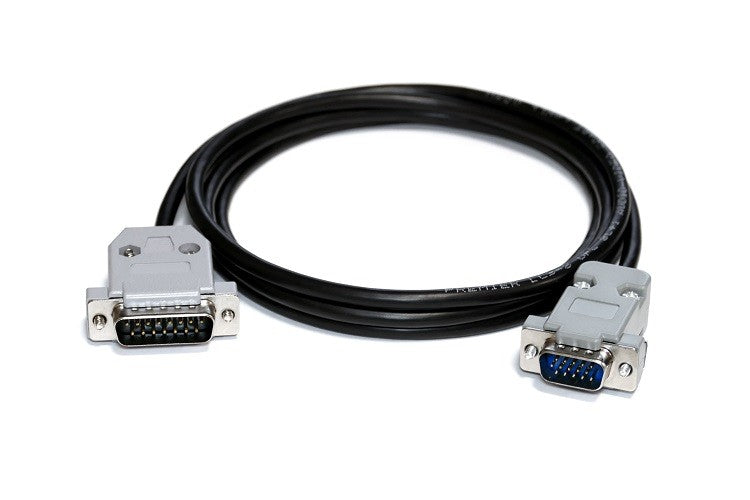
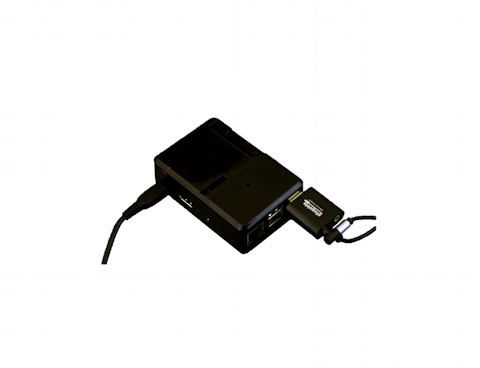
- Included are: RPI 3B+ with a case, AC adapter, SD card containing the special operating system, USB audio adapter, USB cable, user manual, Web API documentation. Source code available on Github.
- Control the AR-DV1 and listen to the received audio, through your tablet's web browser.
- The supplied web API allows web app developers to easily create a control app for AR-DV1 even if they are not familiar with the receiver's control commands.
- Compatible with AR-DV1 firmware 1903A or later.
- Tested on iPad Safari, Amazon Silk and Android Chrome.
* The operating system can also be purchased as a separate item, preinstalled on a microSD card.
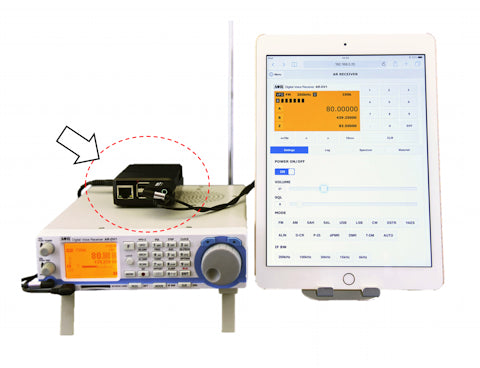
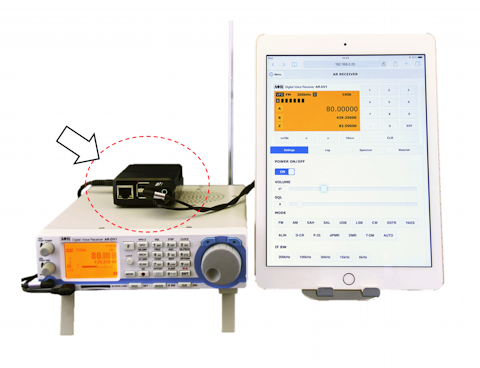
AR-DV1 TAI - Tablet App Interface External view AR-DV1 TAI - Tablet App Interface with AR-DV1 receiver
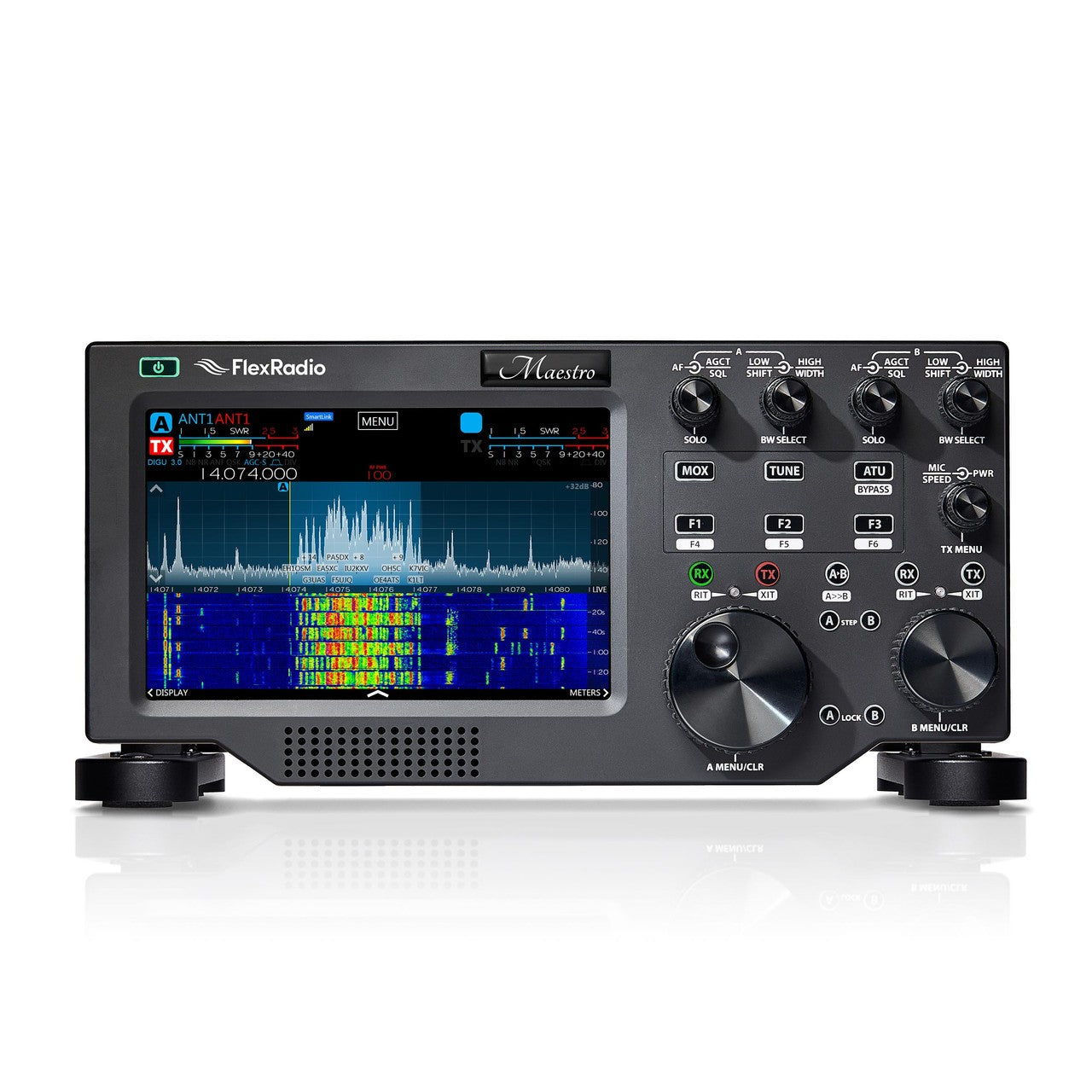
(Not supplied AR-DV1 receiver, antenna, tablet and tablet stand.)
(Adapter case type may change over time.)
AR-DV1 TAI - Tablet App INFO INFO and TARGET USER AND SKILLS
Target users and required skills:
- Casual AR-DV1 users who wish to conveniently operate the receiver in VFO mode and listen to the audio, from a tablet screen via a direct wifi connection. No home network or router required.
Your tablet connects directly to AR-DV1 web adapter
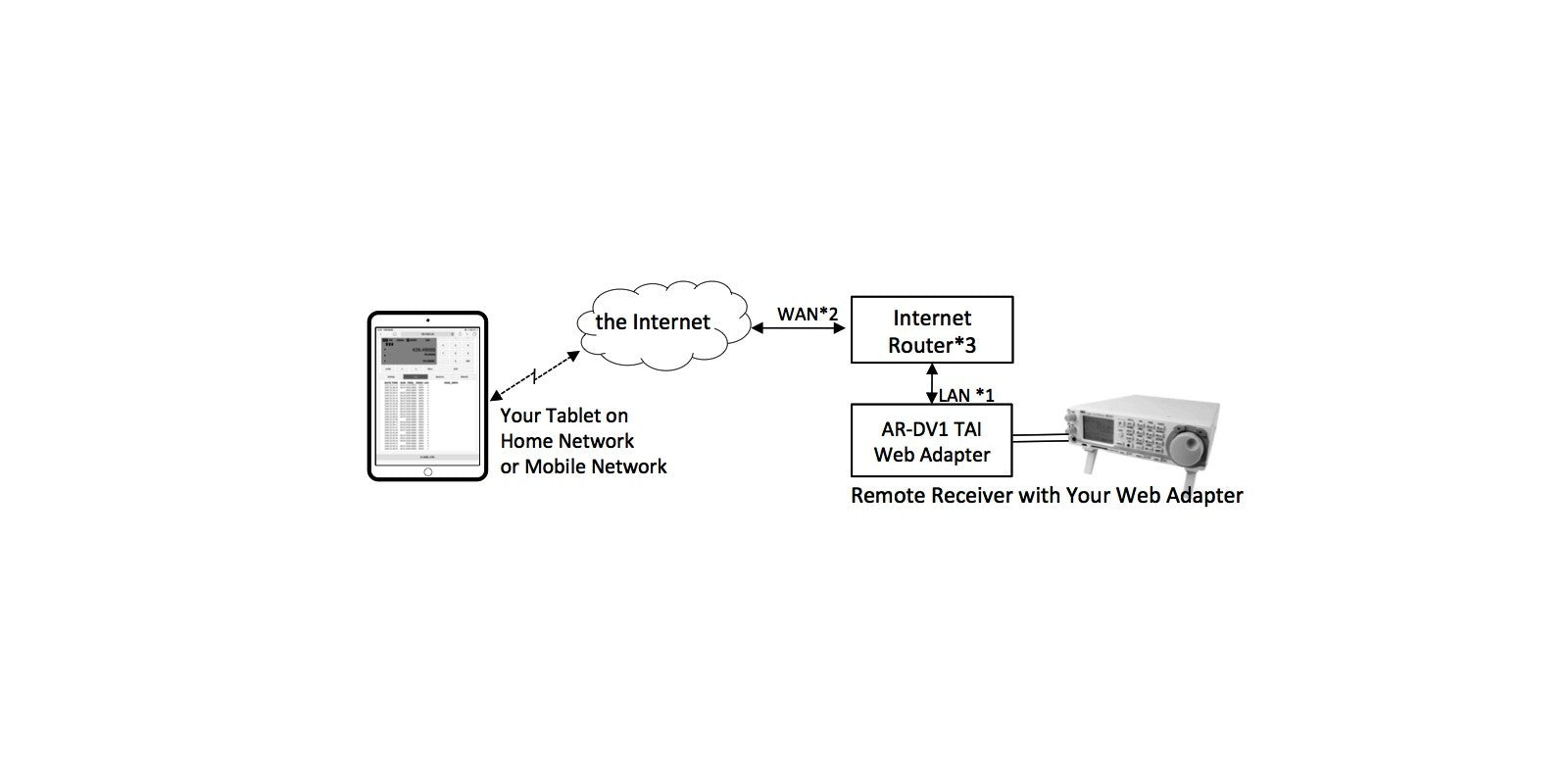
- Advanced AR-DV1 users who wish to operate the receiver in VFO mode and listen to the audio, via a router wifi, and from the Internet. Requires knowledge on how to set up your router (port forwarding, static DHCP).
Your tablet connects over the Internet to the AR-DV1 web adapter
( In the figure above *1: static DHCP / *2: global IP address, and static IP address or dynamic IP address with dynamic DNS / *3: port forwarding)
- App developers who wish to add new functions to the supplied basic app, or create their own control app. For web creators and server developers.
Please refer to the AR Web API technical information page for details.
※ Specifications are subject to change without notice or obligations.
※ AOR Ltd. will provide no technical support for the creation of web apps.
Specifications
1 Operating environment
(supplied hardware) Single board computer Raspberry Pi 3 Model B+
Audio input adapter USB audio adapter to connect to the computer's USB port
Boot media microSDHC 16GB (Class 10 UHS-I A1), installed in the computer's card slot
2 Compatible receiver
(not supplied) AOR's AR-DV1 Digital Voice Receiver, firmware 1903A or later (Only one receiver can be controlled per system)
(Not compatible with the AR-DV10 hand-held receiver as some commands are different)
3 Connections with receiver Receiver control USB Type-A socket (computer side)
Audio input 3.5mmφ jack (mono input via USB audio adapter)
4 Network connection Wireless access point 802.11b/g/a - 2.4/5GHz WPA2 (only possible mode) DHCP service
LAN 10/100/1000BASE-T DHCP client (Static IP setup via router's DHCP is recommended)
5 Computer power supply AC adapter DC5V 2.5A, AC100-240V(50/60Hz) with microUSB plug
6 PC case & other dimensions Case 62mm(W) x 26mm(H) x 92mm(D)
When inserted, the USB audio adapter adds another 33mm to the case's length.
7 Boot media MicroSDHC card 16GB Class 10 UHS-I A1
AR-DV1 TAI OS (built-in software)
Base operating system package: Raspbian Stretch Lite 2018-11-13 Kernel 4.14
8 Software configuration Node.js web server, audio server
JavaScript library for AR-DV1 receiver VFO mode
jQuery, jQuery.mobile, Chart.js, sdr.js, mathbox.js, moment.js, and others.
9 Number of concurrent clients 1 (either via wifi or LAN)
10 Communication ports Control TCP 3000 (fixed)
Audio transmission TCP 3000 (fixed)
11 Confirmed browser compatibility
(as of Dec.2018) - iPad -- Safari
- Kindle Fire HD -- Amazon Silk*
- Android Tablet -- Chrome*
( *: The built-in sample app has limited screen size, therefore not recommended.)
◎ WebAPI is available for various browsers that support HTML5 and recent JavaScript for creating Web apps for different screen sizes.
API list
No. Name Description
1 Authenticate Set authentication parameters
2 Power Turn the receiver on or off
3 ReceiverState Get the state of the receiver
4 Time Set the receiver clock
5 Frequency Set the receive frequency
6 DemodulateMode Set the demodulation mode
7 IFbandwidth Set or get the IF bandwidth
8 FrequencyStep Set the frequency step
9 FrequencyStepAdjust Set the step adjust value
10 DigitalDataOutput Toggle the digital header information on or off and get its state
11 LevelSquelch Set or get the level squelch value
12 Volume Set or get the receiver volume value
13 VFO Set or get the VFO parameters
14 DigitalAdditionalInfo Get the digital header information
15 SpectrumCenter Set or get the spectrum's center frequency
-------------------------------------------------------------------------------------------------------------------------------------------------
AR-DV1 TAI - Tablet App Interface for iOS and Android
Small size communication device with WIFI enabled Web API
- This product is a WEB API operated single board computer device set-up to operate the AR-DV1 receiver in VFO mode.
- Included are: RPI 3B+ with a case, AC adapter, SD card containing the special operating system, USB audio adapter, USB cable, user manual, Web API documentation. Source code available on Github.
- Control the AR-DV1 and listen to the received audio, through your tablet's web browser.
- The supplied web API allows web app developers to easily create a control app for AR-DV1 even if they are not familiar with the receiver's control commands.
- Compatible with AR-DV1 firmware 1903A or later.
- Tested on iPad Safari, Amazon Silk and Android Chrome.
* The operating system can also be purchased as a separate item, preinstalled on a microSD card.
(Not supplied AR-DV1 receiver, antenna, tablet and tablet stand.)
(Adapter case type may change over time.)
Target users and required skills:
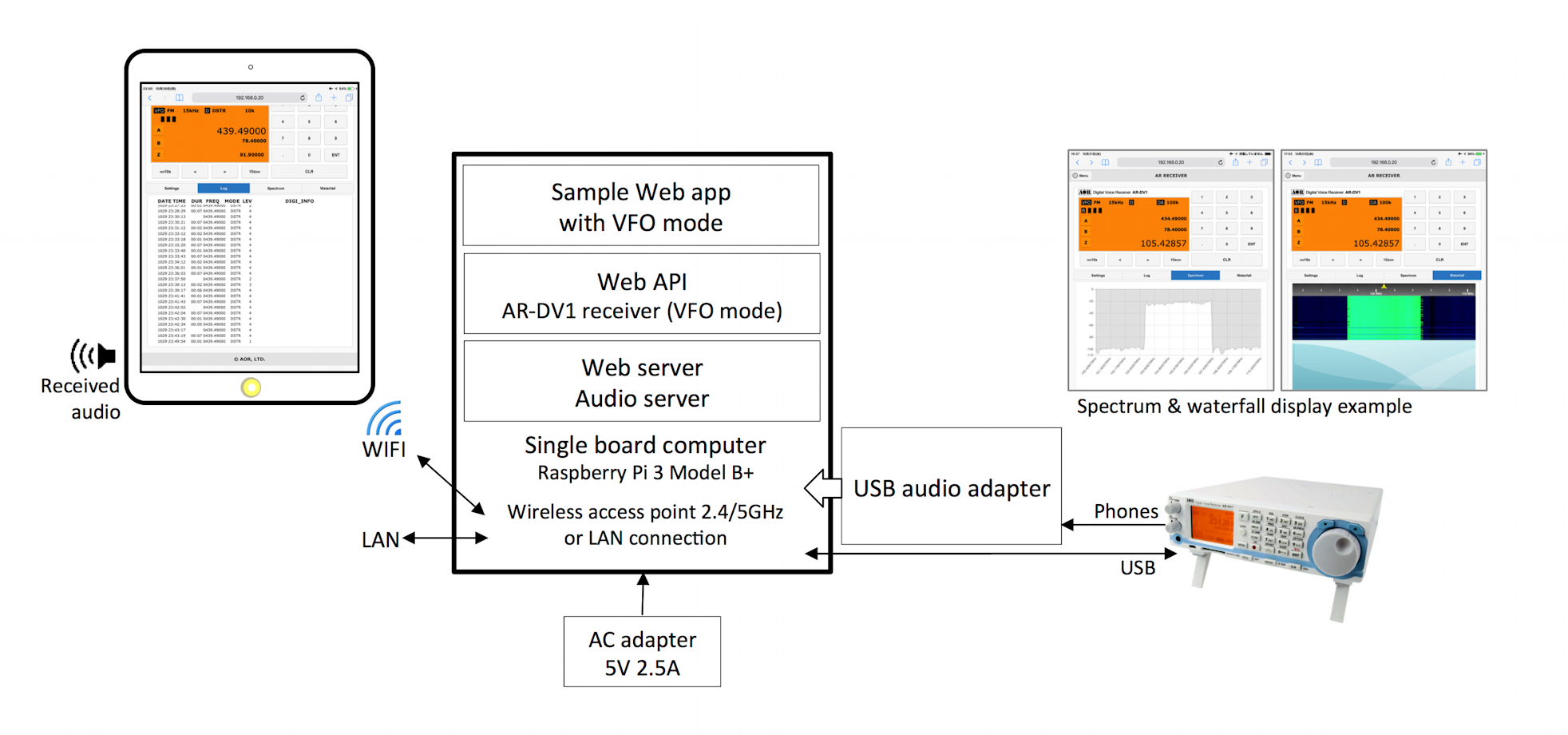
- Casual AR-DV1 users who wish to conveniently operate the receiver in VFO mode and listen to the audio, from a tablet screen via a direct wifi connection. No home network or router required.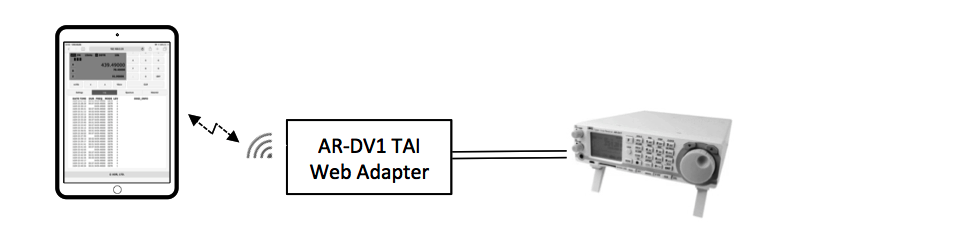
- Advanced AR-DV1 users who wish to operate the receiver in VFO mode and listen to the audio, via a router wifi, and from the Internet. Requires knowledge on how to set up your router (port forwarding, static DHCP).
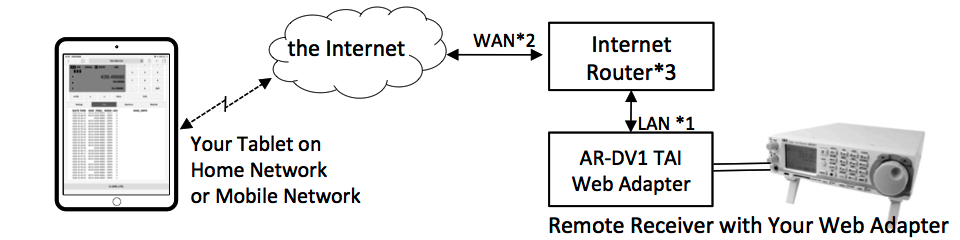
( In the figure above *1: static DHCP / *2: global IP address, and static IP address or dynamic IP address with dynamic DNS / *3: port forwarding )
- App developers who wish to add new functions to the supplied basic app, or create their own control app. For web creators and server developers.
Please refer to the AR Web API technical information page for details.
※ Specifications are subject to change without notice or obligations.
※ AOR Ltd. will provide no technical support for the creation of web apps.
Specifications
1
Operating environment
(supplied hardware)
Single board computer
Raspberry Pi 3 Model B+
Audio input adapter
USB audio adapter to connect to the computer's USB port
Boot media
microSDHC 16GB (Class 10 UHS-I A1), installed in the computer's card slot
2
Compatible receiver
(not supplied)
AOR's AR-DV1 Digital Voice Receiver, firmware 1903A or later (Only one receiver can be controlled per system)
(Not compatible with the AR-DV10 hand-held receiver as some commands are different)
3
Connections with receiver
Receiver control
USB Type-A socket (computer side)
Audio input
3.5mmφ jack (mono input via USB audio adapter)
4
Network connection
Wireless access point
802.11b/g/a - 2.4/5GHz WPA2 (only possible mode) DHCP service
LAN
10/100/1000BASE-T DHCP client (Static IP setup via router's DHCP is recommended)
5
Computer power supply
AC adapter
DC5V 2.5A, AC100-240V(50/60Hz) with microUSB plug
6
PC case & other dimensions
Case 62mm(W) x 26mm(H) x 92mm(D)
When inserted, the USB audio adapter adds another 33mm to the case's length.
7
Boot media
MicroSDHC card 16GB Class 10 UHS-I A1
AR-DV1 TAI OS (built-in software)
Base operating system package: Raspbian Stretch Lite 2018-11-13 Kernel 4.14
8
Software configuration
Node.js web server, audio server
JavaScript library for AR-DV1 receiver VFO mode
jQuery, jQuery.mobile, Chart.js, sdr.js, mathbox.js, moment.js, and others.
9
Number of concurrent clients
1 (either via wifi or LAN)
10
Communication ports
Control
TCP 3000 (fixed)
Audio transmission
TCP 3000 (fixed)
11
Confirmed browser compatibility
(as of Dec.2018)
- iPad -- Safari
- Kindle Fire HD -- Amazon Silk*
- Android Tablet -- Chrome*
( *: The built-in sample app has limited screen size, therefore not recommended.)
◎ WebAPI is available for various browsers that support HTML5 and recent JavaScript for creating Web apps for different screen sizes.
API list
No.
Name
Description
1
Authenticate
Set authentication parameters
2
Power
Turn the receiver on or off
3
ReceiverState
Get the state of the receiver
4
Time
Set the receiver clock
5
Frequency
Set the receive frequency
6
DemodulateMode
Set the demodulation mode
7
IFbandwidth
Set or get the IF bandwidth
8
FrequencyStep
Set the frequency step
9
FrequencyStepAdjust
Set the step adjust value
10
DigitalDataOutput
Toggle the digital header information on or off and get its state
11
LevelSquelch
Set or get the level squelch value
12
Volume
Set or get the receiver volume value
13
VFO
Set or get the VFO parameters
14
DigitalAdditionalInfo
Get the digital header information
15
SpectrumCenter
Set or get the spectrum's center frequency
16
SpectrumSpan
Set or get the spectrum's span value
17
SpectrumData
Get the spectrum graph data
18
Smeter
Get the S-Meter values
19
ReceiverStateNotification
Set the receiver state notifications interval
20
Adapter
Operate the "AR-DV1 TAI Web Adapter" hardware
21
CTCSS
Set or get information from the tone squelch
22
DCS
Set or get information from the DCS squelch
23
DCREncryptionCode
Set or get the DCR/NXDN 15bit digital scrambling code value
24
TTCSlot
Set or get the slot number of the T-TC mode reception
WebSocketAPI
No.
Name
Description
w-1
Sound
API to get sound from the receiver
w-2
ReceiverState
API that gets periodic notifications from the receiver
w-3
DigitalAdditionalInfo
API to receive notifications when the receiver receives digital collateral information