



































Web-based remote control for ACOM-2000A, Expert Linears, KPA500, SteppIR or Rotators
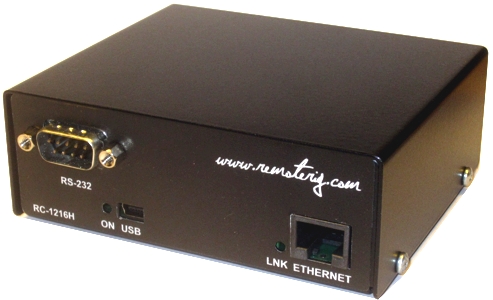
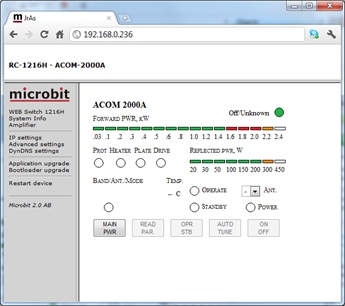
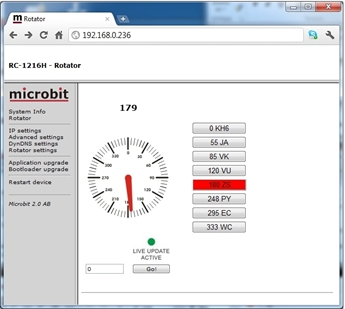
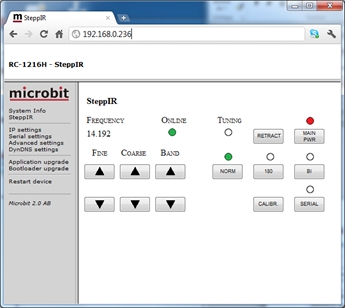
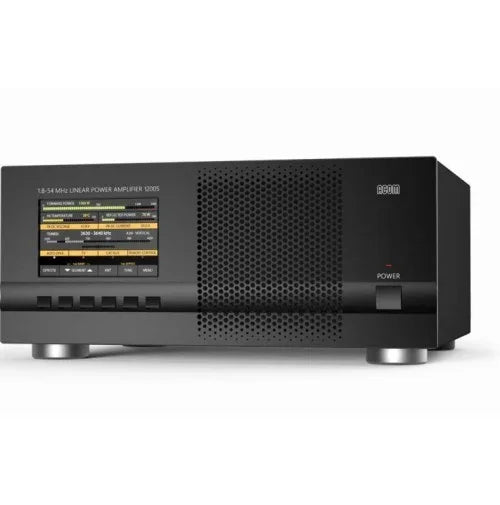
The RC-1216H is developed especially for remote control of Amateur radio accessories like Antennas, Power Amplifiers and Rotators via the Internet in a user-friendly and cost-effective way. A lot of radio accessories are designed to be controlled from a PC via a serial port (RS-232). Serial ports are not very convenient to transfer over the Internet. The RC-1216H acts as a PC to the connected equipment at the same time as it shows a more user-friendly web-based user interface for the operator. The web interface is much more convenient to use over the Internet as no special software needs to be installed on the PC and it can be reached from any Internet-connected PC around the world or any other device with a web browser like smartphones, pads, etc. For the moment, the Remote control RC-1216H can be configured to control SteppIR antennas, the ACOM-2000A, Expert 1K-FA, 1.3K-FA, 2K-FA and KPA500 Power Amps, Prositel Rotators, AlfaSpid Rotators, Green Heron controlled rotators, Yaesu Gs-232B controlled rotators and Rotators with a serial interface using the DCU-1 and Idiom Press protocol. l.
For more information download the users manual
EXPERT

The RC-1216 can be configured to remote control an Expert 1K-FA, 1.3K-FA, and 2K-FA Power amplifier. The controls and indicators are almost the same as on the front of the PA so you will recognize them immediately. There are controls for on/off, standby/operate, half/full power, and a button for clearing the alarms. The indicators are also the same as on the PA, such as Forward power, Reflected power, Band segment, Temp indicators, etc. The web-based control is very handy to use, especially when traveling etc., as you can control the PA from any device with a web browser like smartphones, pads, etc.
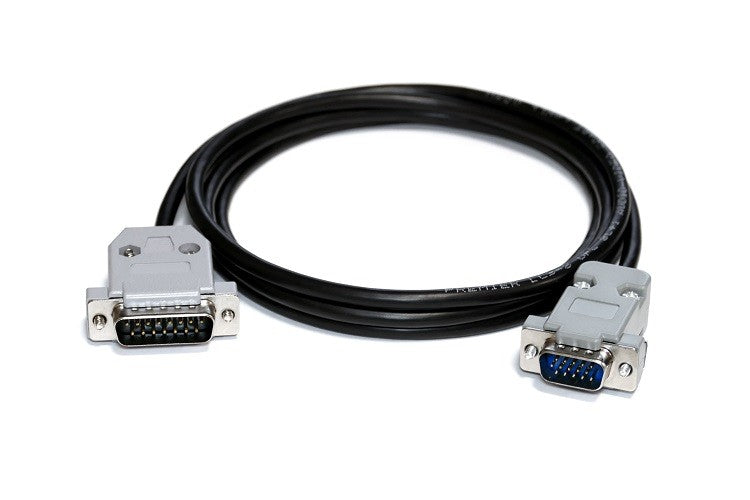
A serial cable is connected from the RC-1216H to the PA RS-232 port. For the Expert 1K-FA, it’s a standard RS-232 cable with straight connection 9PF -9PM (*). The Expert 1.3K-FA and 2K-FA need custom-made serial cables; they also need an extra connection for the Power ON function (see manual)
You also need to connect the PA directly to the radio to get the necessary control functions from the Radio. Remember that the RC-1216H is a complement to the remote control software from Expert; the radio connections are still needed.
The RC-1216H can act as a serial port server in parallel with the web interface, meaning that you can use the Expert PC software to control the PA without making any changes to the setup or connections. This is convenient if you need to change some settings, like the automatic selection of antenna ports or other things that the web interface does not support.
Installation with Expert 1K-FA
Standard installation of the RC-1216H and Expert 1K-FA
Note! If you have an RC-1216H produced before 2014-June-01, you have to
make a small modification if you want to use it for 1K-FA (see remoterig website under support).
Installation with Expert 1.3K-FA and 2K-FA
Standard installation of the RC-1216H and Expert 1.3K-FA/2K-FA
ACOM-2000A
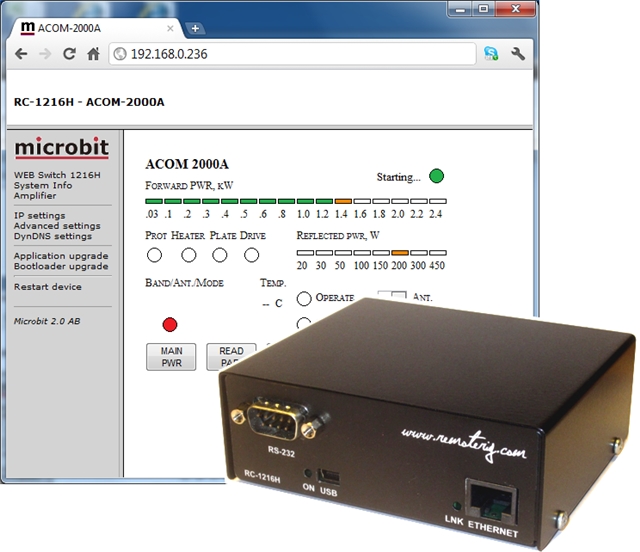
The RC-1216H can be configured to remote control an ACOM-2000A Power amplifier. The controls and indicators are almost the same as on the ACOM-2000A control panel (RCU) so you will recognize them immediately. There are controls for on/off, standby/operate, Auto tune, Antenna selections, and a button for reading all parameters from the PA. The indicators are also the same as on the RCU, such as Forward power, Reflected power, Alarm LEDs, Band segment, Temp indicators, etc.
A serial cable has to be connected from the RC-1216H to the PA RS-232 port. If you also have the ACOM antenna switch, you need to make a special Y-cable. Another cable is needed from the RC-1216H AUX-SW1 socket to the PA for Remote power on. This 2-wire cable can be soldered directly into the RCU D-sub or you can make a short extension cable where you connect the 2 wires.
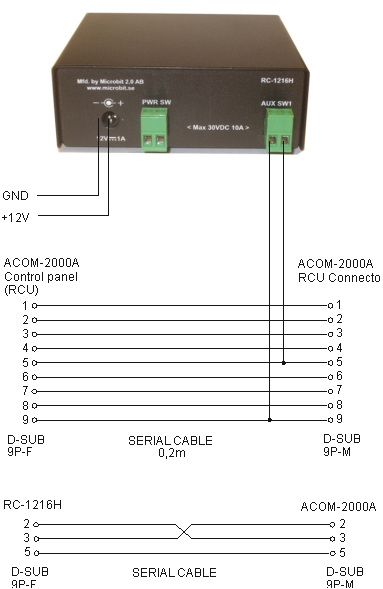
Installation with ACOM-2000A
Standard installation of the RC-1216H and ACOM-2000A
The RC-1216 can be configured to remote control an Elecraft KPA500 Power amplifier. The controls and indicators are almost the same as on the front of the PA so you will recognize them immediately. There are controls for on/off, standby/operate, and a button for clearing the alarms. The indicators are also the same as on the PA, such as Forward power, SWR power, Band, Temp indicators, etc. The web-based control is very handy to use, especially when traveling etc., as you can control the PA from any device with a web browser like smartphones, pads, etc.
A serial cable has to be connected from the RC-1216H to the PA RS-232 port. It should be a standard RS-232 cable with a straight connection 9PF -9PM.
You also need to connect the PA directly to the radio to get the necessary control functions from the Radio. Remember that the RC-1216H is a complement for remote control; the radio connections are still needed.
Installation with KPA500
Standard installation of the RC-1216H and Elecraft KPA500
SteppIR
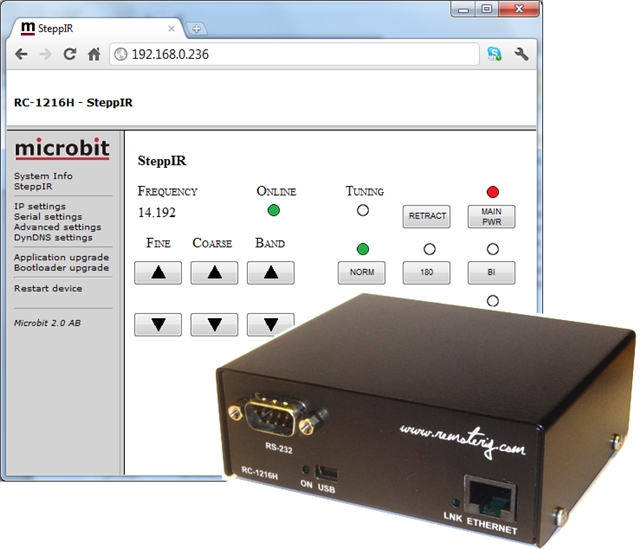
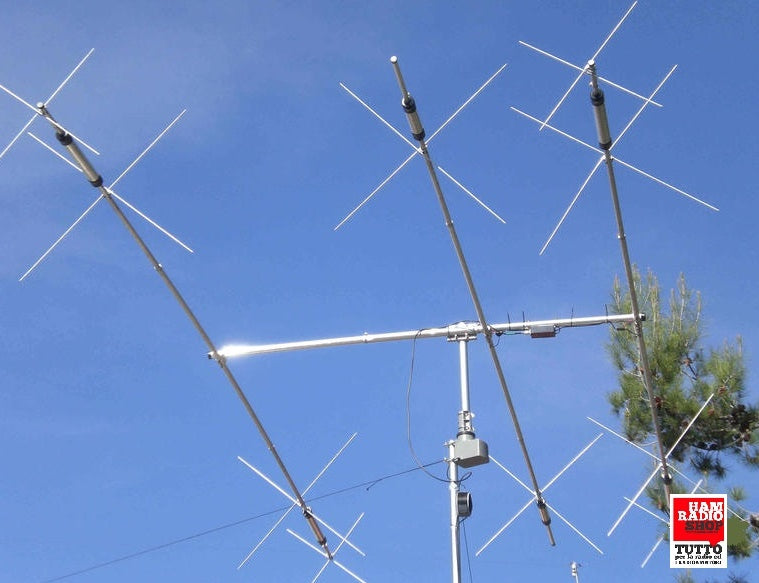
The RC-1216 can be configured to remote control a SteppIR antenna. The controls are the same as on the SDA-100 control box. You can use Retract, Calibrate, Bi-directional, 180-degree switch, etc. Frequency adjustment can be done manually or automatically. If you want the antenna to follow the radio automatically, you need to connect a cable from the Radio to the SDA-100 Control box. If you want to be able to switch between automatic adjustment and manual, you have to connect the data line from the radio to the SDA-100 via the RC-1216H AUX-SW1 Relay, as the SDA-100 protocol does not support switching on/off the Autotrack remotely (We hope they will implement it later). The AUX-SW1 relay is controlled by the “serial” button. The other buttons have the same function as on the SDA-100 control box. We recommend connecting the 24V power to the SDA-100 via the RC-1216H PWR-SW relay to minimize the risk of hang-up situations. Be aware that the SDA-100 needs to have the Transceiver interface 01321 installed; it can be bought from SteppIR for about USD85, and when you turn on the SDA-100, it should show 99 on the lower right of the display.
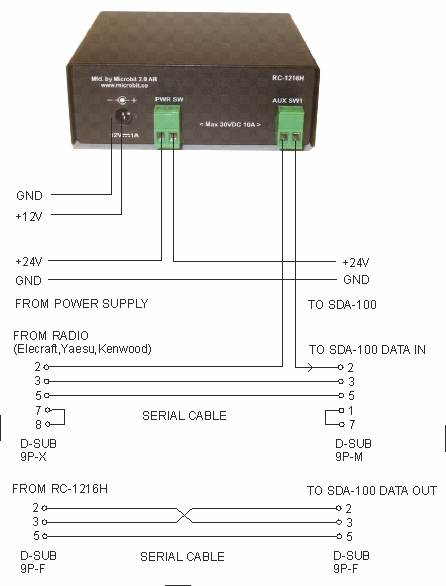
Installation of the RC-1216H for SteppIR control
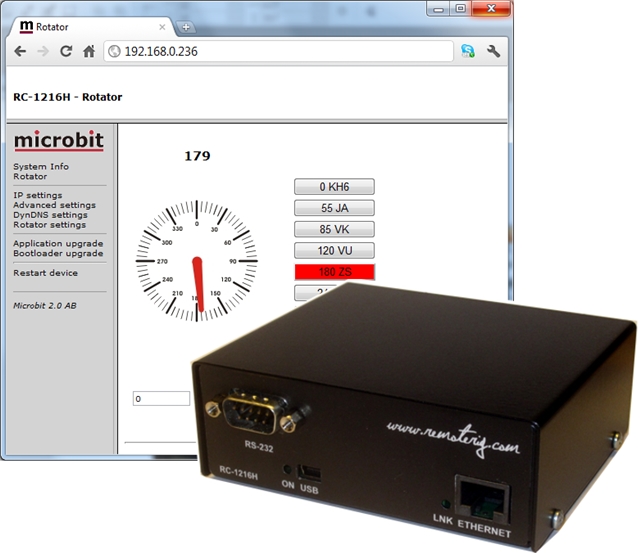
The RC-1216 can be configured to remote control rotators. At this moment, it supports Prosistel rotators with the D-type control box, rotators controlled by the Green Heron control box, and other rotators with serial interfaces using the DCU-1 or Idiom Press protocol. The controls and indicators are quite simple; you have a digital azimuth indicator and an analog indicator which shows the approximate direction. There are also 8 memory buttons which you can program to your favorite directions.
A serial cable has to be connected from the RC-1216H to the rotator Control box or serial interface. The example shows cabling for the Prosistel rotators. If you have others, check the rotator manual for the connector pinning so you make proper cables.
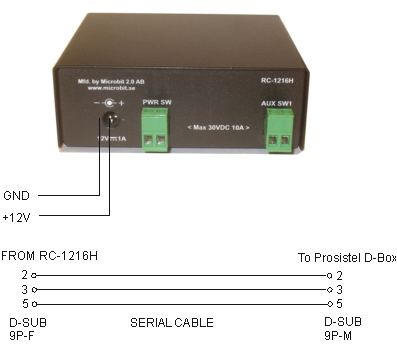
Installation example with Prosistel or AlfaSpid
Standard installation of the RC-1216H and a Prosistel or AlfaSpid rotator.