






























DEFINITIVE GUIDE TO RTL-SDR BLOG RECEIVERS
VERSIONS, INSTALLATION, AND SECRETS FOR HF RECEPTION
Welcome to the HamRadioShop Blog, your reference point and official distributor in Italy for original RTL-SDR Blog products. The world of Software Defined Radio (SDR) has revolutionized the way radio amateurs, SWLs, and enthusiasts approach the radio spectrum. With a limited expense, it is now possible to have a true wideband panoramic receiver on your computer.
In this article, we will clarify the latest available versions, see how to install them correctly on your PC, and explore the fundamental tricks to get the most out of your listening experience, especially on HF (Shortwave) bands.
COMPARING VERSIONS: RTL-SDR BLOG V3 VS V4
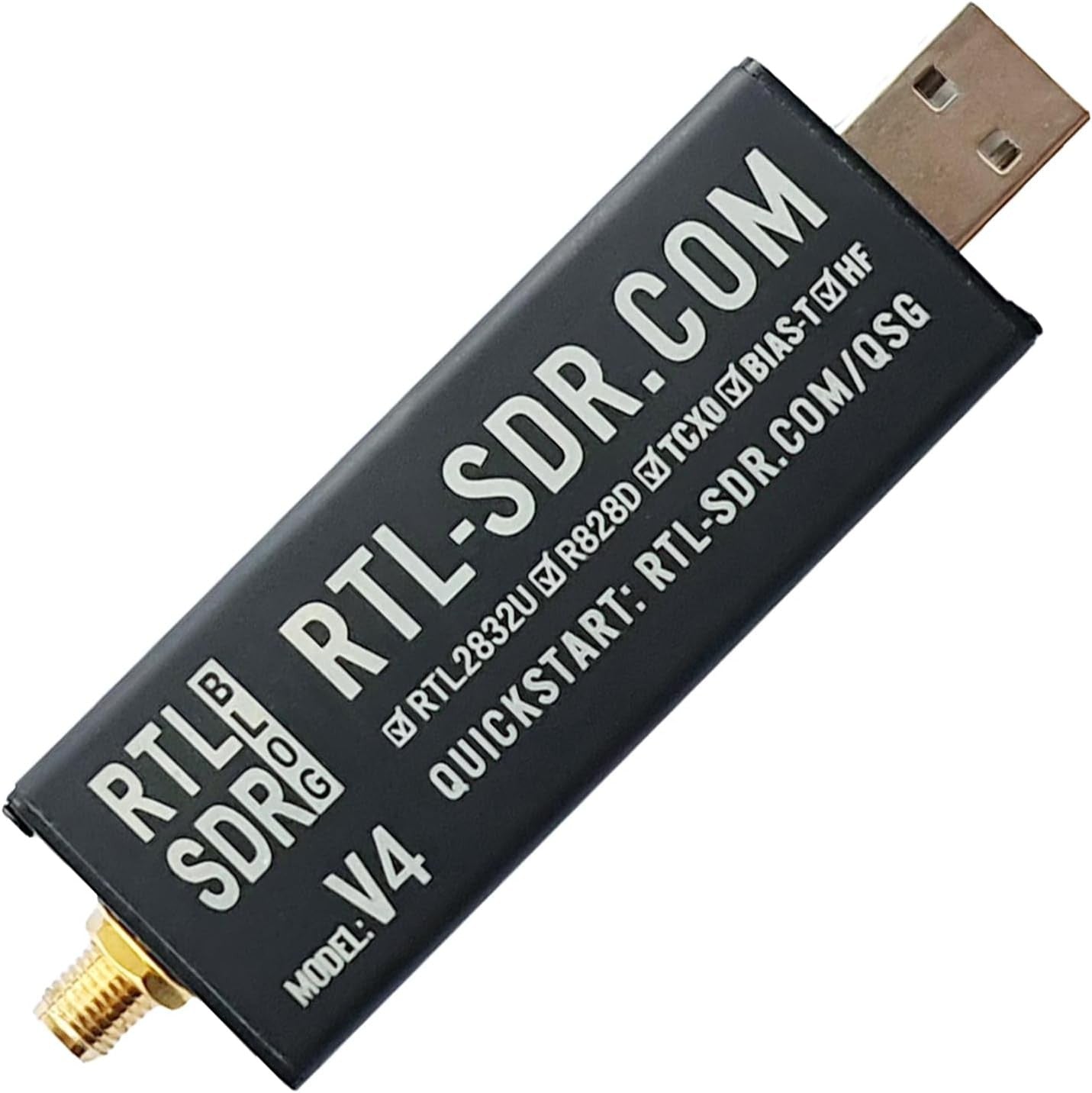
The RTL-SDR Blog team has constantly improved the original design of the RTL2832U dongle. Below we have structured a comparative table to highlight the crucial differences in hardware architecture between the historic V3 and the more recent V4:
| Feature | RTL-SDR Blog V3 | RTL-SDR Blog V4 |
|---|---|---|
| Tuner Chip | Rafael Micro R820T2 | Rafael Micro R828D |
| HF Architecture |
Direct Sampling (Q-Branch). Bypasses tuner, limited sensitivity, prone to aliasing. |
Integrated HF Upconverter. Raises HF to VHF frequencies. Excellent sensitivity and dynamic range. |
| Input Filtering | Basic filters on the circuit board. |
Integrated Triplexer Filters. Neatly isolates HF, VHF, and UHF bands, reducing spurious signals. |
| Thermal Stability | Built-in 1 PPM TCXO. | Built-in 1 PPM TCXO with improved dissipation. |
| Drivers Required | Standard RTL-SDR drivers (Osmocom). | Specific updated drivers (needed to manage the upconverter and R828D chip). |
PRACTICAL INSTALLATION GUIDE ON WINDOWS PC (SDR#)
The most common error when connecting the dongle for the first time is letting Windows install automatic drivers for digital TV. To make the device work as a radio receiver, we need to overwrite them with generic WinUSB drivers using the Zadig utility:
- 1. Connection: Insert the RTL-SDR dongle into a direct USB port of the PC (avoid unpowered USB hubs).
- 2. Software Download: Download the SDR# (SDRSharp) package and extract the folder to your desktop.
-
3. Driver Download: Inside the folder, double-click the text/script file
install-rtlsdr.bat. Zadig executable and the correct libraries will be downloaded automatically. -
4. Run Zadig: Right-click on
zadig.exeand select "Run as administrator". - 5. Device Configuration: In Zadig's top menu, select Options -> check List All Devices.
-
6. Interface Selection: From the dropdown menu, select "Bulk-In, Interface (Interface 0)". Verify that the USB ID matches
0bda 2838. - 7. Driver Replacement: Make sure WinUSB is selected to the right of the green arrow and press the Replace Driver button.
- 8. Start: Open SDR#, set RTL-SDR (USB) as the source, and press the Play button.
HOW TO CONFIGURE HF RECEPTION (SHORTWAVE)
To listen to amateur radio bands (e.g., 40m or 80m), international broadcast signals, or utility systems on shortwave, the software configuration varies radically depending on the dongle model you are using:
-- PROCEDURE FOR RTL-SDR BLOG V3 (Direct Sampling)
Connect a suitable wire antenna (e.g., a longwire) to the SMA input. In SDR#, click the gear icon at the top to open the hardware configuration panel. Locate the Sampling Mode option and change it from Quadrature Sampling to Direct Sampling (Q Branch). Now tune below 24 MHz, carefully adjusting the RF gain to balance the signals.
-- PROCEDURE FOR RTL-SDR BLOG V4 (Integrated Upconverter)
The V4 version does not require direct sampling as it natively converts the entire HF spectrum. In SDR#'s configuration panel, keep the Sampling Mode on Quadrature Sampling. Directly enter the HF frequency you wish to monitor (for example, 7.100 MHz for the 40-meter band) and take advantage of the increased selectivity of the dedicated triplexer filters.
THE SDR'S NUMBER ONE ENEMY: FM BROADCAST SATURATION
RTL-SDR dongles convert signals via an 8-bit ADC, which results in a limited dynamic range. In many areas of Italy, the close proximity of imposing commercial radio transmitters in the **88 - 108 MHz** band (FM Broadcast) bombards the antenna with an intolerable amount of RF energy. This phenomenon **completely overloads the SDR's front-end**, causing increased noise and the appearance of "ghost" FM stations everywhere, compromising listening to VHF air, marine, or even HF bands.
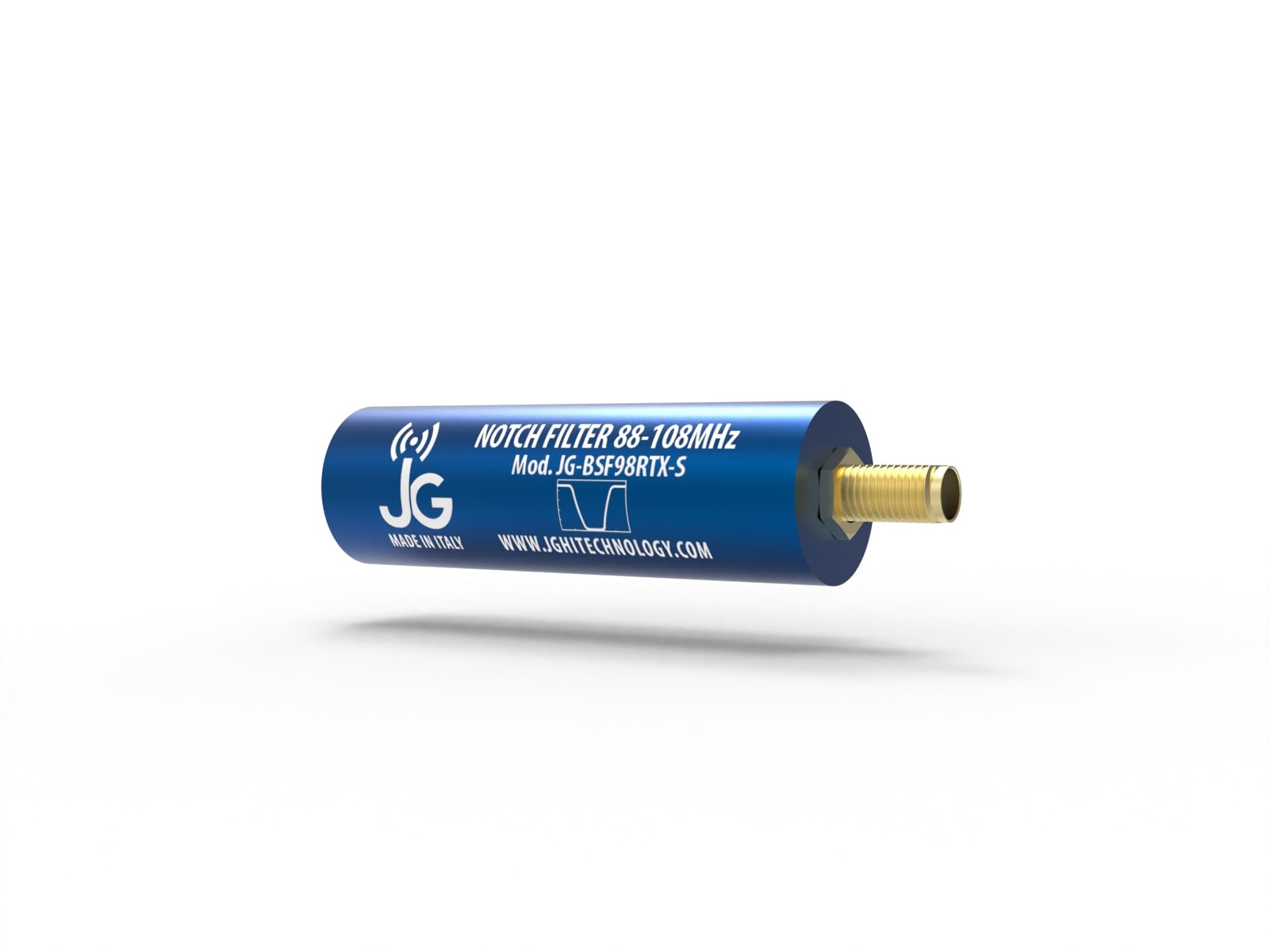
The Definitive Solution: RTL-SDR Blog Broadcast FM Band-Stop Filter
To clean up the spectrum and protect the receiver without sacrificing other bands, it is essential to insert a specialized "Notch" band-stop filter before the SDR input. To meet this specific need, we have added the official RTL-SDR Blog filter to our catalog.
| RF Parameter | Filter Specifications |
|---|---|
| FM Band Attenuation | > 50 dB (up to 60 dB at 88 MHz) |
| Cut-off Points (3 dB Roll-Off) | At 76 MHz and 122 MHz (7th Order Chebyshev Design) |
| Out-of-band Losses (Pass-Band) | Practically 0 dB below 500 MHz, < 0.5 dB up to 1 GHz |
| DC Pass-through (Bias-Tee) | Supported up to 80 mA for powering LNAs or mast accessories |
As mentioned in our recent technical data sheet and sales listing, this passive filter guarantees significantly superior performance compared to inexpensive TV filters, which severely degrade useful out-of-band signals by introducing unwanted strong attenuations.
HAMRADIOSHOP SPECIALIZED ASSISTANCE
As official distributors for Italy, we don't just sell hardware: our technical laboratory is available to support you in the correct software and hardware configuration of your SDR listening system, guaranteeing certified original products and all necessary assistance before and after purchase.
RTL-SDR Blog, SDR# and their respective logos are property of their respective owners. Official distribution and support in Italy by HamRadioShop.
HamRadioShop | Authorized RTL-SDR Blog Italy Distributor

